📱 DiamondBoard is live on Google Play Install Free
NOW LIVE ON GOOGLE PLAY

Coach Smarter. Field better.

Stop juggling clipboards, group texts, and last-night spreadsheets. DiamondBoard is the lineup tool built for baseball coaches who'd rather coach than do paperwork.

4
Tabs · Field, Bat, Roster, Schedule
3
Sign-in options
$0
Free Forever Tier
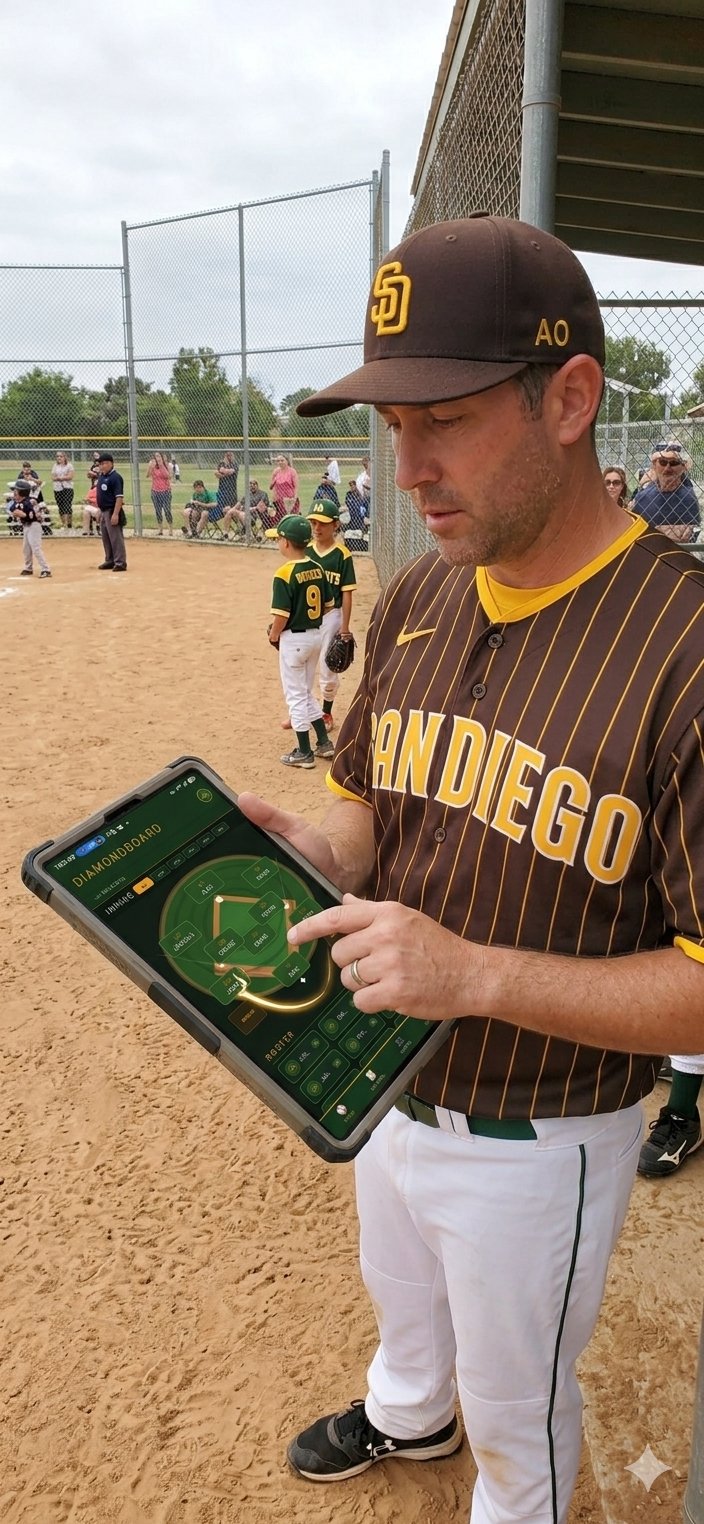
Coach using DiamondBoard on iPad in the dugout
FIELD MANAGER · INNING 1 SAN DIEGO · YOUTH LEAGUE
9 PLAYERS · LIVE
SAVED ✓
Why coaches switch

Lineups that take minutes, not Sundays.

⏱️

Save 30 minutes before every game

What used to mean a spreadsheet, a notepad, and a frantic dugout scramble now takes a few taps. Set up once, tweak as you go.

🎯

Every kid plays their share

Visual position rotations across every inning. No more accidentally benching the same kid for three straight games.

📲

Make changes mid-game

Player out sick? Late arrival? Tap and adjust on the fly. Your lineup is always with you, always current.

What's inside

Four tabs. Everything you need.

DiamondBoard does one thing — lineup management — and does it really well. No bloat, no learning curve, no monthly subscription that you forget to cancel.

And the details that matter.

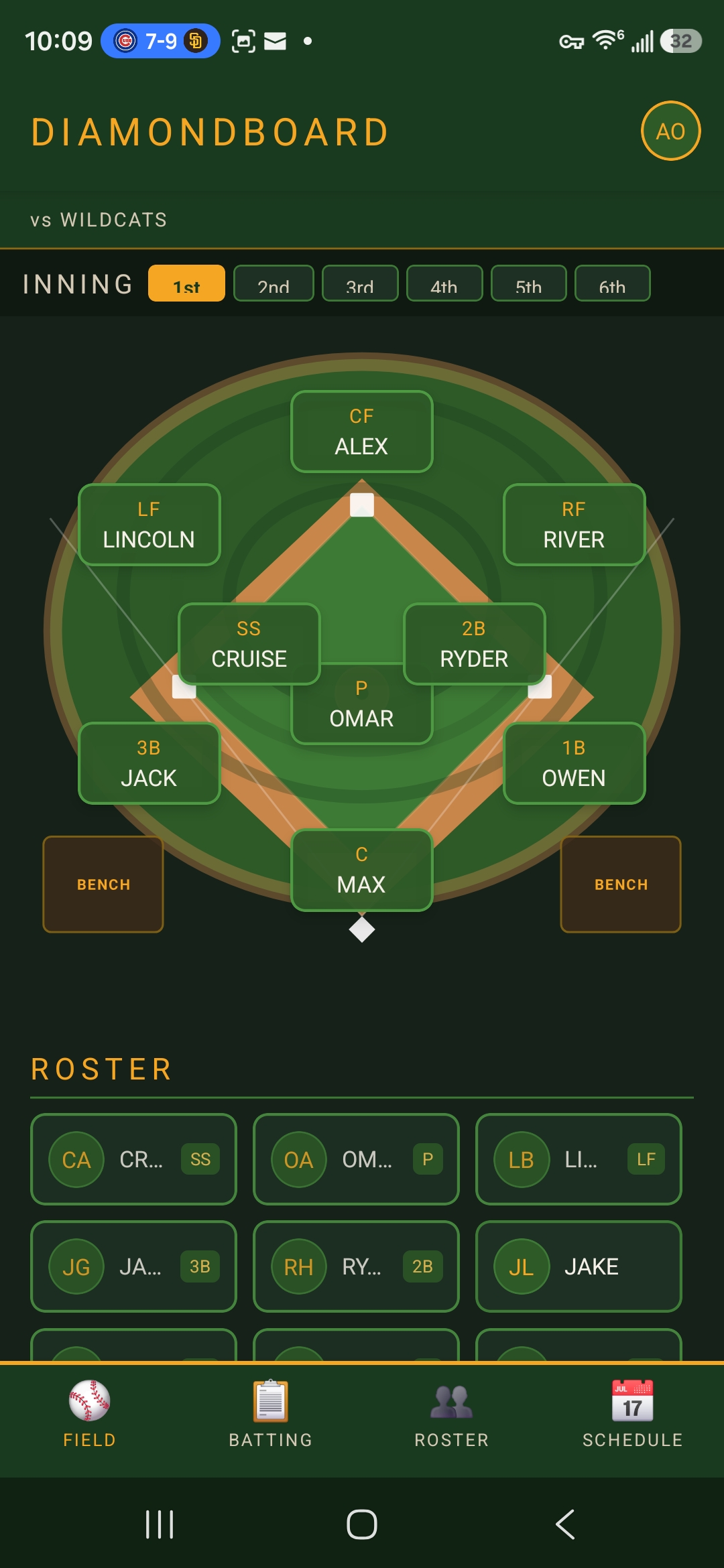
Field Position Manager

Visual diamond layout. Tap a position to assign a player. See your defense at a glance.

📋

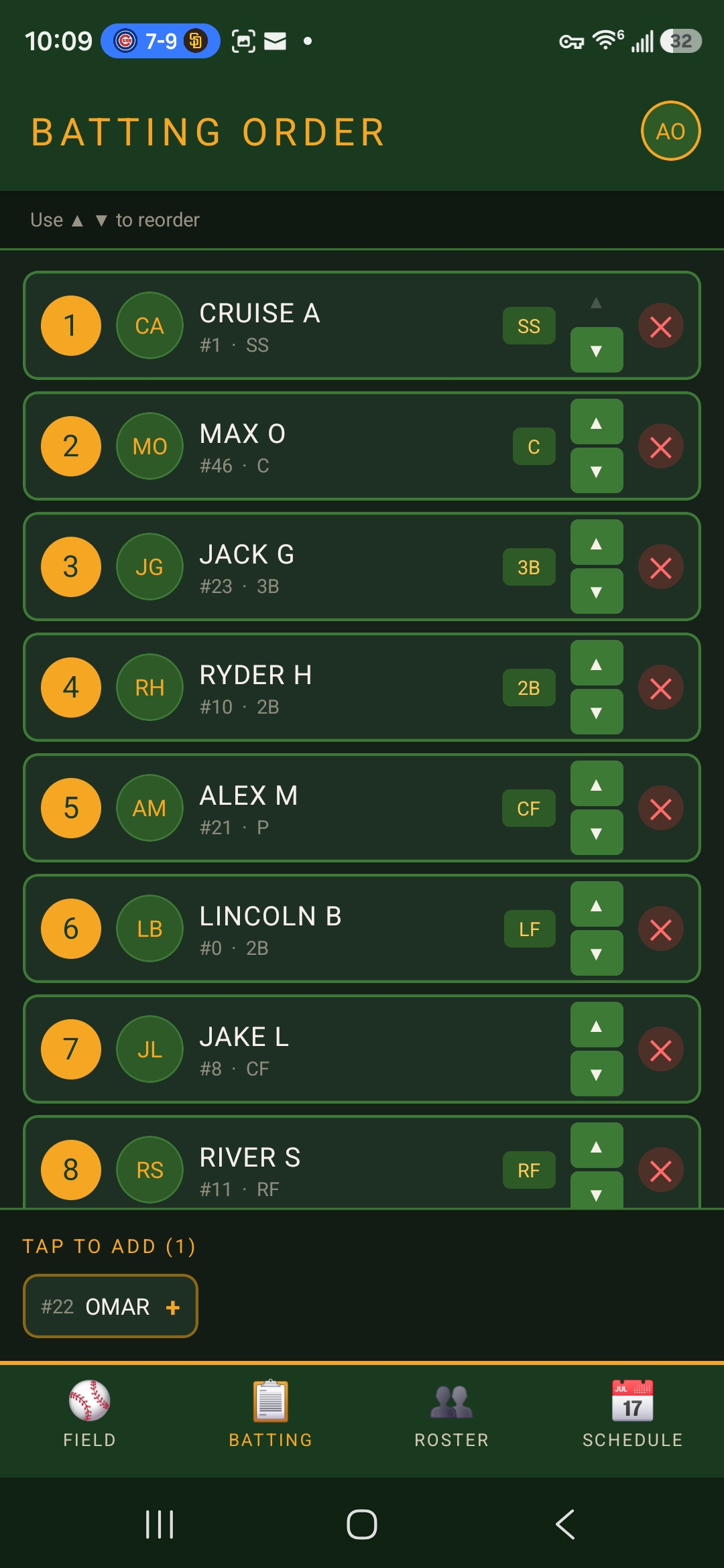
Batting Order

Tap to add players, reorder with arrows, remove with a single tap. Save once, use all game.

🔄

Per-Inning Rotations

Different positions across innings. Track who's played where, automatically.

👥

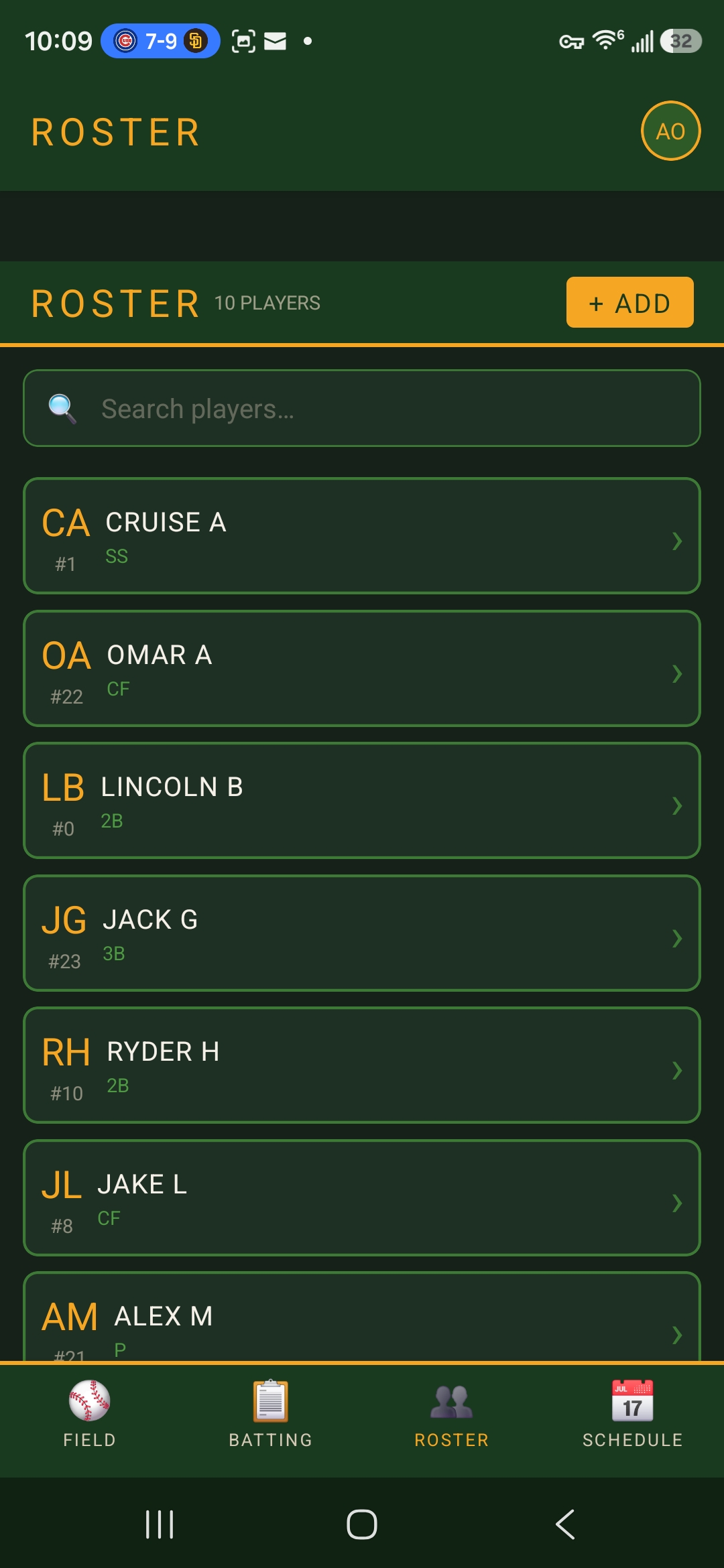
Roster Management

Add players with names, jersey numbers, and preferred positions. Edit anytime.

📅

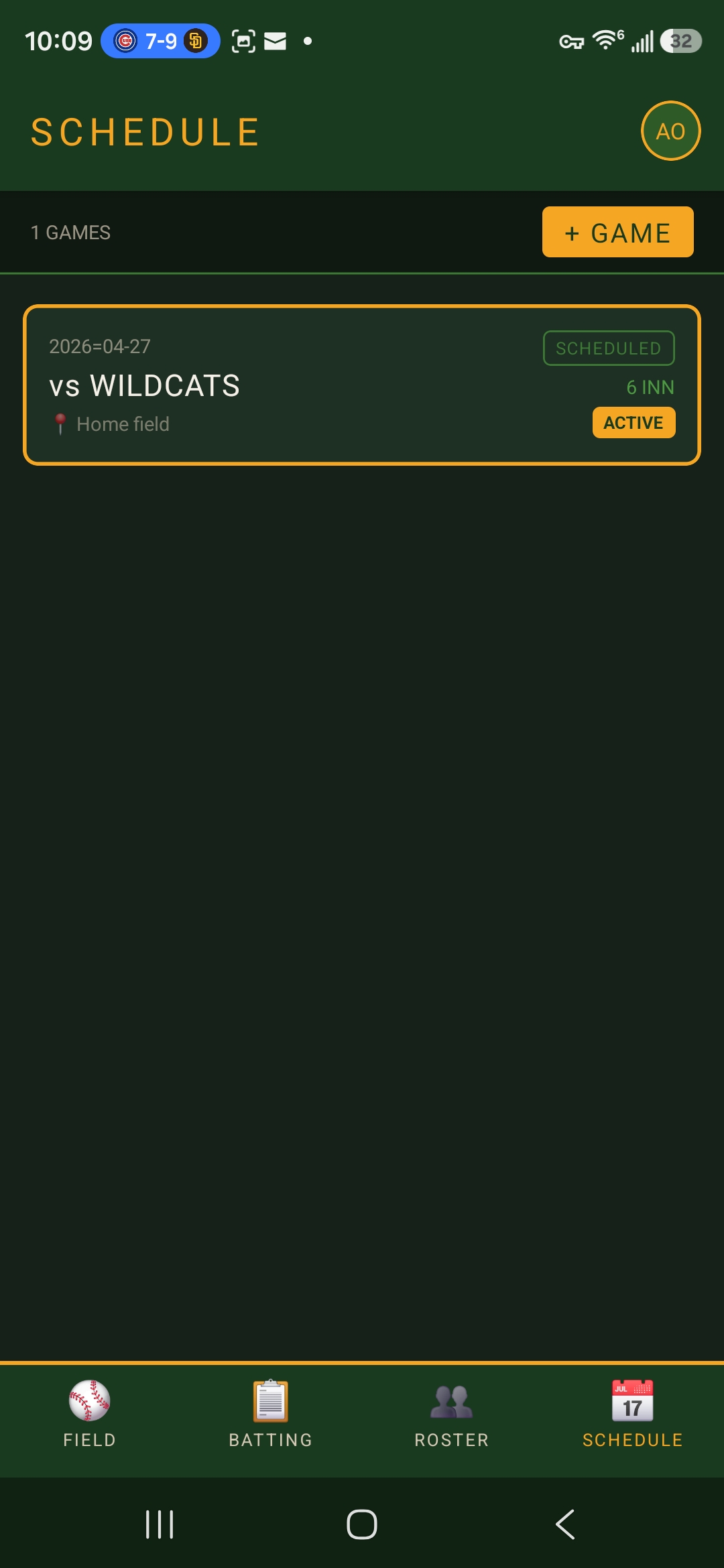
Game Schedule

Schedule upcoming games. Each game gets its own lineup that persists year-round.

☁️

Cloud Sync

Your data lives on Microsoft cloud. Switch phones, no setup. Lose a phone, no panic.

Drag & Drop Field

Move players between positions with a single drag. Perfect for visual coaches.

Coming Soon
🔁

Copy Previous Inning

Replicate your last inning's defense in a tap. Adjust only what changed.

Coming Soon
👨‍👩‍👧

Multi-Coach Sync

Share lineups with assistant coaches in real-time. Everyone stays in sync.

Coming Soon
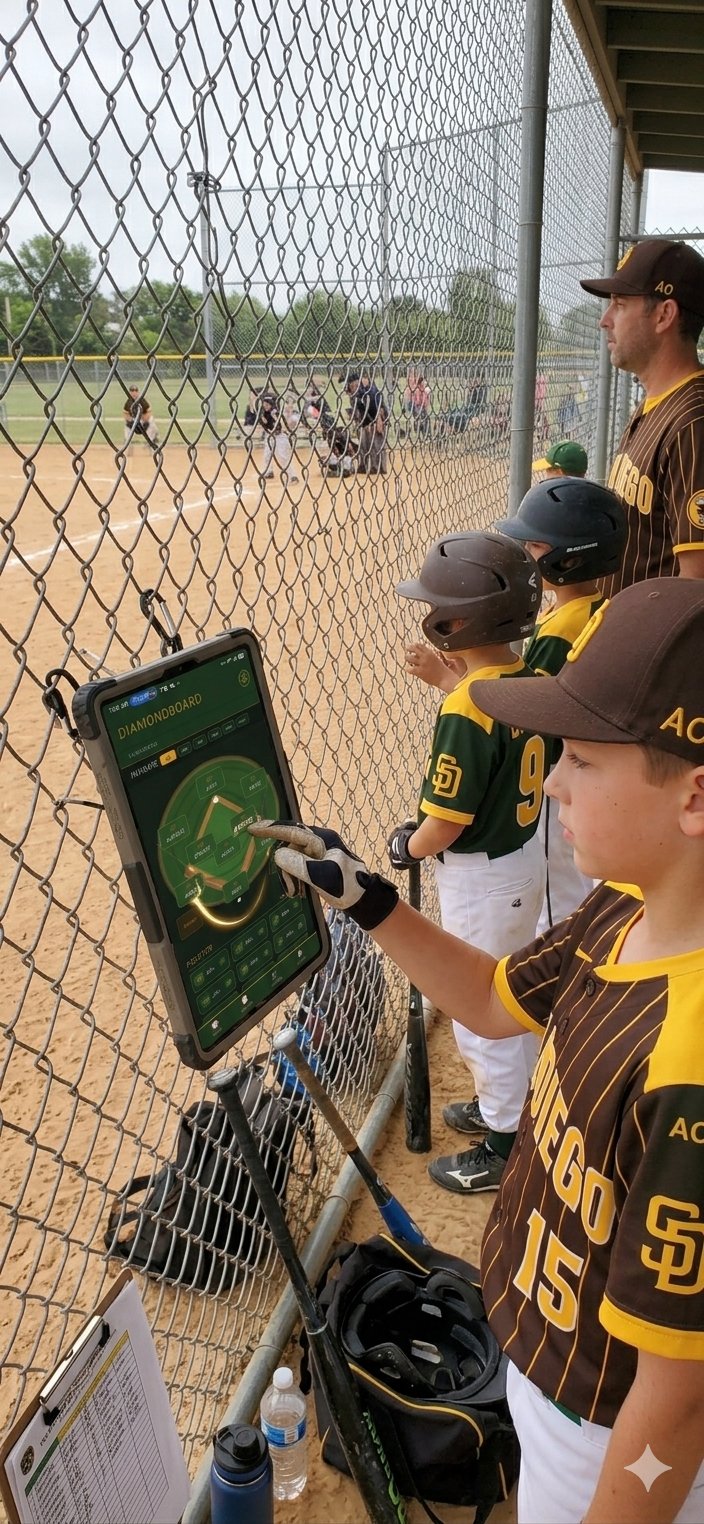
A young player checks the lineup on DiamondBoard during a game
LIVE GAME · INNING 3 PLAYERS CHECKING IN
In the dugout

It's already in the game.

DiamondBoard isn't a concept. Coaches and players use it every weekend — clipped to the fence, propped on the bench, in the back pocket. Real teams. Real games. Right now.

"The kids check it themselves to see what position they're playing next. That alone saved me ten conversations per inning."

— Field test feedback, youth league coach
How it works

Four steps. One lineup.

01
Build your roster

Add each player with their jersey number and preferred positions. Takes about 30 seconds per player.

02
Schedule a game

Set the opponent, date, and location. Number of innings defaults to 6 — adjust for your league.

03
Set your lineup

Tap-to-add batters in order. Assign defensive positions inning by inning. Save when ready.

04
Coach the game

Pull out your phone in the dugout. Tap players in and out as the game evolves. No paper, no mess.

DiamondBoard batting order screen
Built for

Coaches who'd rather coach.

🥎
Little League
🏆
Travel Ball
🎓
High School
Rec Leagues
Spend the time you save on actual coaching—not on figuring out who hasn't played second base yet.

FREE FOREVER TIER NO ADS NO CREDIT CARD

Common questions

Real answers, no fluff.

Is DiamondBoard really free?
Yes. The current version is fully free, with all the features you need to manage your team. We're working on a Pro tier that'll add advanced features (multi-coach real-time sync, season stats, drag-and-drop fielding) — but the core lineup management will stay free forever.
Will it work for my league level?
DiamondBoard is built for any baseball or softball team that needs lineup management — Little League, travel ball, middle school, high school, recreation leagues, even adult amateur leagues. Position labels and inning counts are flexible.
Do my assistant coaches need accounts?
Today, the lineup is tied to your account. Multi-coach real-time sync is coming soon — you'll be able to share access with assistant coaches who can view (and optionally edit) lineups during games.
What if I'm offline at the field?
Your lineups load when you have a signal. We're working on full offline mode where you can edit while disconnected and have changes sync automatically when you're back online.
How is my data protected?
Your data lives on enterprise-grade Microsoft cloud infrastructure with full encryption in transit and at rest. We never sell your data, never share it with advertisers, and you can request full deletion anytime via our account deletion page.
iOS version?
The iOS version is currently in review with Apple. We'll announce here as soon as it's approved. If you'd like to be notified the moment it's live, email us at ceo@chosenhomeland.com.